
Sideline: 2nd Phone Line App
Pinger, IncCommunication
3.826.03K Reviews
- Version
- 13.25
- Installs
- 5.00M
- Age Rating
- Everyone
Screenshots
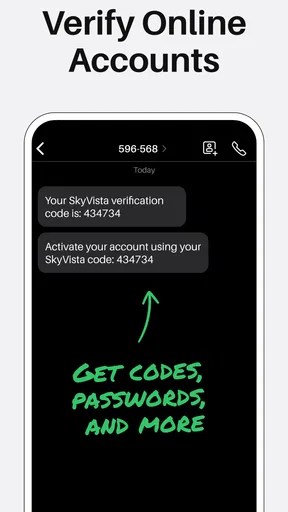
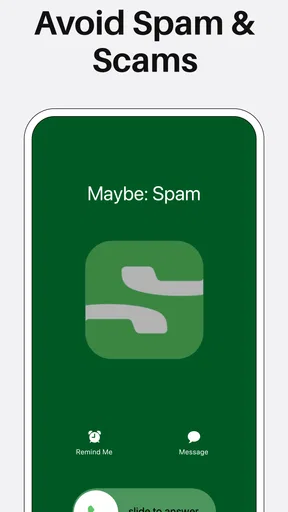
Our Review of Sideline: 2nd Phone Line App
 Analysis by Appyee
When I first tried Sideline, the appeal was immediate: a separate number for calls and texts without carrying a second phone. That simple split can make a busy week feel more organized, especially if clients, customers, or volunteer groups currently reach you on your personal line. The real test, though, is not whether a second number seems useful on day one; it is whether keeping it active still feels worthwhile once the novelty wears off.
Why a second line feels useful in the first week
Setting up a separate line is an easy idea to understand. You can give work contacts one number and keep your regular number for family and friends, without asking everyone to change how they reach you. For a freelancer taking on a new project, that boundary can be useful from the first conversation: new enquiries go to the work line, while existing personal chats stay where they are.
I also see the appeal for people selling items locally, arranging appointments, or coordinating a short-term event. In those situations, sharing a dedicated number can feel more comfortable than handing out the number tied to your personal life. The benefit is not that every message becomes effortless; it is that you have a clearer place to direct a particular kind of conversation.
When the habit keeps paying off
The longer-term value depends on whether you use the second line consistently. If you give it to customers but keep replying to some of them from your personal number, the separation gets blurry fast. I would decide in advance which contacts belong on the Sideline number and use that line for those conversations, rather than treating it as an occasional spare.
A realistic routine might be a home-based consultant checking the work line at the beginning and end of the day, then leaving it alone during personal time. The app can support that boundary, but it cannot create it for you. Contacts need to know which number to use, and you need a habit for checking calls and messages so important enquiries do not disappear into a second inbox.
That makes the app a better fit for a recurring need than for a one-off curiosity. If you regularly deal with people who should not have your main number, a separate line can keep serving a purpose month after month. If you only need another number briefly, the effort of moving contacts and remembering to monitor it may outweigh the convenience.
Small maintenance choices that make a difference
Before sharing the number widely, I would test the basics with someone you trust: place a call, exchange a text, and check that the other person can identify which line reached them. That simple check helps catch confusion early, especially if you already use your main number for similar conversations. It is also worth saving the new number with a clear label in your own contacts so you do not accidentally give out the wrong one.
Think about how you will handle callers when you are busy, too. A professional greeting can make a dedicated work line feel more intentional, while a vague or personal-sounding message may undermine the distinction you wanted. The app’s voicemail customization is useful here, but the greeting should match the reason you created the line: a solo business, a side project, or a more general callback message.
Moving an existing number is a different decision from starting fresh. Porting can help if continuity matters, but I would not treat it as a casual setup step: first consider which people and services already rely on that number and whether changing where it is managed fits your needs. For a new side project, keeping the second line distinct may be simpler than relocating a number you already use everywhere.
Where the convenience can wear thin
A second line also means another place to look. Calls and texts that once arrived in one familiar stream are now divided, so missed notifications or an irregular checking habit can turn a neat boundary into extra upkeep. If you are already juggling several messaging apps, adding one more may not reduce mental clutter unless you are clear about what belongs there.
Connection quality is another practical consideration. The original experience described calls as clear overall, but performance can vary with the internet connection; weak Wi-Fi or cellular data may affect a call. I would be cautious about relying on it as the only way to reach you in places where connectivity is often unreliable. For conversations where missing a call has serious consequences, keep a dependable alternative available.
It is also worth distinguishing a second app-based line from a second mobile device or a carrier-provided line. Sideline keeps the arrangement in one phone, which is convenient, but it does not give you the physical separation of another handset. Someone who wants a completely separate work device, or who needs their line to remain independent of app-based connectivity, may be better served by a different setup.
Getting Started with Sideline
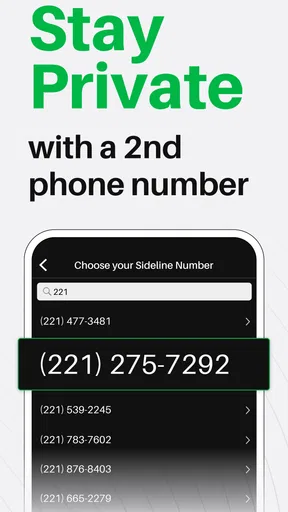
The first thing that struck me about Sideline is how easy it was to set up. Downloading and installing the app was a breeze. Once it's up and running, you can choose your own phone number. Yes, you get a real number, not some weird internet-based one that no one takes seriously. I picked one that was local to my area, which made it feel more authentic.
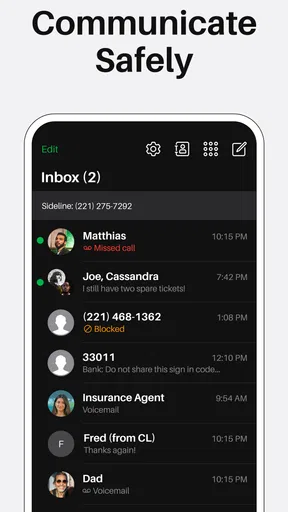
After choosing your number, you can immediately start making calls and sending texts. The interface is intuitive, looking much like your standard phone app. This familiarity makes the transition smooth and enjoyable, especially for anyone who might not be super tech-savvy.
Features That Stand Out
What really makes Sideline shine are its features. First off, you get unlimited texts and picture messaging, which is perfect for both professional and casual use. Need to send a quick photo to a client or friend? No problem.
Another feature worth mentioning is the ability to port in your existing number. If you’re switching from a different service but want to keep your contacts and number intact, Sideline has got you covered. It’s these little things that show they really thought about user convenience.
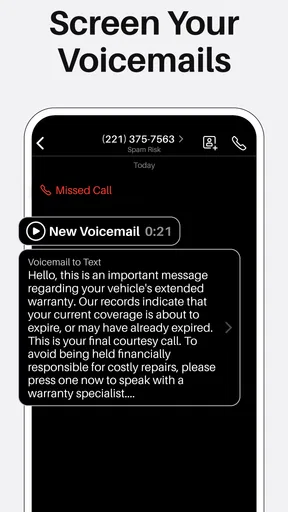
Plus, you can sync your contacts easily, ensuring you’re never scrambling to find a number. And if voicemail is your thing, Sideline offers a professional-grade voicemail feature. You can even customize your voicemail greetings, which is fantastic for keeping things professional.
Performance and Reliability
Now, what good are features if the app doesn’t perform well, right? I’ve used Sideline for about a month now, and I have to say, it’s been pretty solid. Calls are clear, texts go through without a hitch, and I haven’t experienced any major glitches.
One thing I noticed, though, is that call quality can depend on your data connection. So, if you’re in an area with spotty Wi-Fi or cellular data, you might run into some issues. But honestly, that’s pretty standard with most apps that rely on internet connectivity.
Is It Worth the Investment?
The big question: is Sideline worth it? Well, considering it offers a free trial, I’d say it’s definitely worth a look. After the trial, there’s a monthly fee, but for what you get – a reliable second line, solid features, and ease of use – it’s a fair price.
For small business owners or freelancers who need to keep their work and personal communications separate without the hassle of carrying two phones, Sideline is a game-changer. Plus, it gives off a more professional vibe than just using your personal number.
In conclusion, if you’re in the market for a second line, Sideline is well worth considering. It’s user-friendly, packed with useful features, and, most importantly, it works well. So, why not give it a go and see how it fits into your digital life?
Cost, expectations, and who should pass
Sideline is a free communication app from Pinger, Inc, with a 3.8 average from around 63,000 ratings and more than 5 million installs. It is rated for Everyone, and the current version is 13.10. The app can be downloaded without an upfront price, but in-app purchases range from $0.99 to $129.99 per item, so I would check the terms shown in the app before committing to anything. That matters if you are comparing it with a carrier line or another service whose recurring cost is presented differently.
For a person who needs a stable public-facing number for a small business, the value is less about collecting features and more about avoiding the awkwardness of sharing a personal number. A cleaner greeting, contact sync, picture messaging, and the option to bring an existing number can help the line fit into an established routine. For someone who rarely makes calls or already has a work number through an employer, however, another inbox may be more hassle than help.
Compared with simply using your personal number, a second line creates a clearer boundary and a more deliberate way to present yourself to customers. Compared with carrying a second phone, it is lighter and easier to keep together with your everyday device, but it does not provide the same physical separation. And compared with a conventional carrier line, an app-based option makes connection quality and the app itself part of the experience. I would choose based on which trade-off matters most, rather than assuming every second-number solution works the same way.
One practical tip is to give the number out gradually at first. Use it with a few regular contacts, make sure they save it under the right name, and see whether you remember to check it without prompting. If you are setting it up for customer enquiries, decide what counts as urgent and when you will return calls; a second number does not automatically create office hours. A simple routine can make the separation useful, while an unmonitored line can leave people waiting.
Another small but important choice is how you handle replies. When a customer texts a photo or a detail that needs follow-up, keep the conversation on the second line rather than switching back to your personal messages out of convenience. That consistency makes later searches easier and helps prevent a personal number from becoming the default again. The trade-off is that you must remember which identity you are using before answering, especially when messages arrive close together.
My long-term take
Sideline earns a lasting place on my phone when the second number solves a problem I encounter every week: separating work calls from personal ones, presenting a dedicated contact point, or managing a side business without another handset. Its familiar layout and voicemail options lower the learning curve, while contact syncing and number portability can help it fit existing routines. Those advantages are strongest when I treat the line as a real channel that deserves regular attention.
I would skip it if I wanted a second number only for a brief experiment, if I rarely answer calls, or if dependable service in weak-connection areas is essential. I would also think twice before moving a long-used number without first considering every person and account tied to it. Sideline is not a magic privacy switch or an automatic work-life boundary; it is a practical tool that works best when I decide what the number is for and keep using it that way.
Overall, I see it as a sensible option for a freelancer, solo operator, or anyone with a recurring reason to keep two kinds of communication apart. Its 2015 release and continued use by millions suggest it has had time to find an audience, but the right test for me is still personal: after the first week, am I checking the line and benefiting from the separation? If yes, it can justify its space. If I keep forgetting it exists, the second number is only adding another thing to maintain.
Verdict
Strengths of Sideline: 2nd Phone Line App
- Easy setup and user interface.
- Affordable pricing plans available.
- Reliable call and message quality.
- Custom voicemail greetings option.
- Supports multiple phone numbers.
Limitations of Sideline: 2nd Phone Line App
- Limited free trial features.
- Occasional app crashes reported.
- International calling is costly.
- Some features need premium upgrade.
- Ads can be intrusive for free users.
Other Releases by Pinger, Inc
View All
Text Free: Second Phone Number
Social4.5

Text Free: Calling & Texting
Social4.5

Index: Business Phone Number
Business3.8
Similar Picks in This Category
View All
Google Messages
Google LLC4.6

Gmail
Google LLC4.1

Google Meet
Google LLC4.4

Google Chrome
Google LLC4.1

WhatsApp Messenger
WhatsApp LLC4.6

Carrier Services
Google LLC4.2
Frequently Asked Questions
What is Sideline and how does it work?
Sideline is a mobile app that provides a second phone line for your device, allowing you to keep your personal and professional communications separate. It works by using your existing carrier network to make calls and send texts, ensuring reliable connectivity and quality. You can manage calls, texts, and voicemail all within the app.
Is Sideline free to use, or are there any subscription fees?
Sideline offers a free trial period, but it operates on a subscription model. After the trial, users need to pay a monthly fee to continue using the app's services. The subscription includes features like unlimited calling and texting, voicemail, and number porting. Pricing details can vary, so check the app store for current rates.
Can I keep my existing phone number when using Sideline?
Yes, Sideline allows you to port your existing phone number to their service. This feature is beneficial if you want to maintain your current number for business or personal use. Porting your number involves a few steps, and Sideline provides guidance to make the process smooth and hassle-free.
What features does Sideline offer to enhance communication?
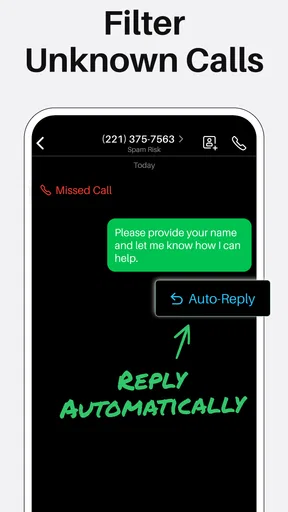
Sideline offers a range of features such as custom voicemail, auto-reply text messages, and team number sharing. It also supports picture messaging and integrates with your existing contacts. These features are designed to provide a seamless communication experience, especially for users managing business calls and texts.
Is Sideline secure for handling business communications?
Sideline prioritizes user privacy and security by using encryption and secure servers to protect data. It ensures that your calls and messages are kept confidential. While no app can guarantee complete security, Sideline's robust measures make it a reliable choice for handling sensitive business communications.
